MicroeSIM Review: Device Compatibility and Technical Limits in 2026
10/20/2026
MicroeSIM Review: Device Compatibility and Technical Limitations Explained
Switching from a traditional physical SIM card to a microeSIM can simplify your mobile experience, especially if you travel frequently. But before making the leap, understanding which devices support microeSIM technology and the technical limits involved is crucial.
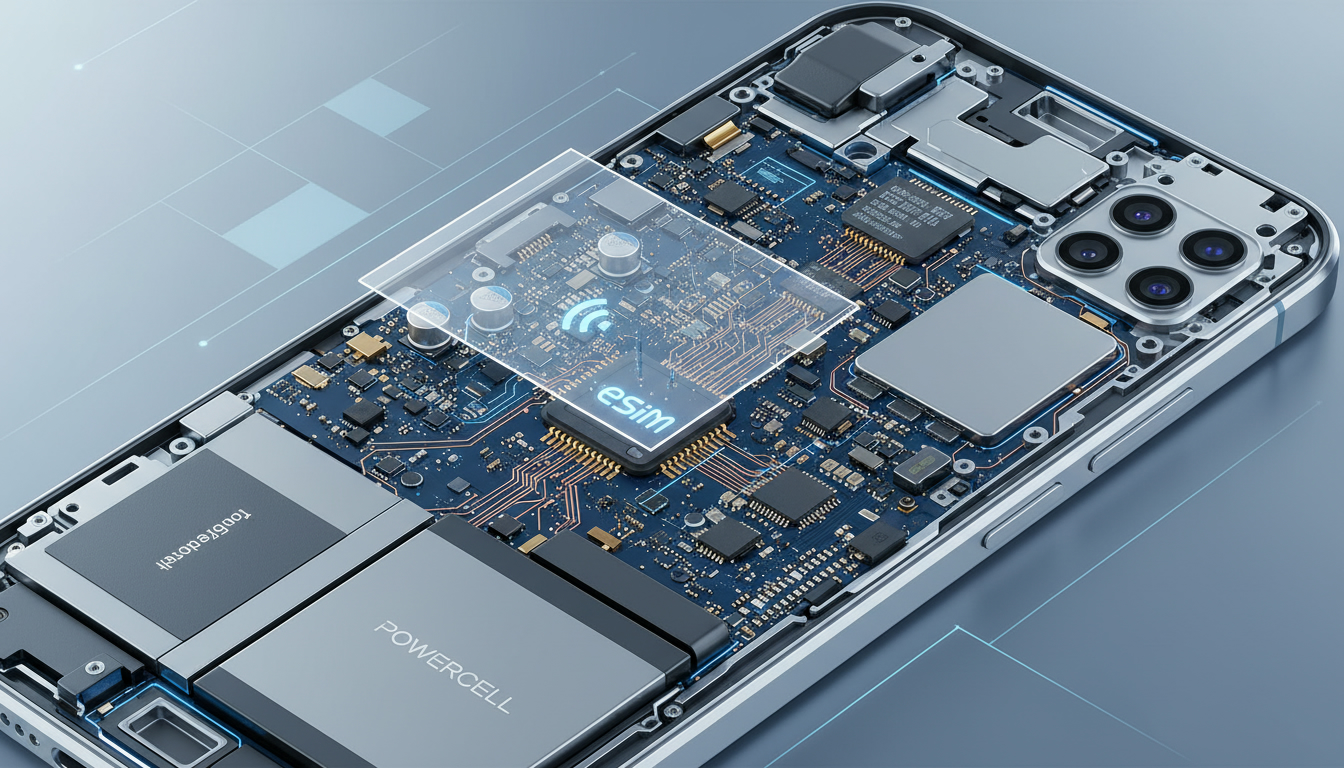
MicroeSIMs are embedded SIMs that function like a physical SIM but are rewritable and programmable remotely, eliminating the need for swapping cards. However, not every device supports this technology, and even among compatible devices, there are nuances that affect user experience.
Which Devices Support MicroeSIM Technology?
MicroeSIM compatibility is primarily determined by device manufacturers integrating the GSMA’s eSIM specifications into their hardware and software. The GSMA specification SGP.22 governs remote eSIM provisioning, setting the standard for how eSIM profiles are downloaded and managed on devices.
Smartphones and Tablets
Most flagship smartphones released since 2018 support eSIM technology, but microeSIM support specifically depends on the device’s design:
- Apple iPhones: Starting with the iPhone XS, XR, and later models, Apple supports dual SIM functionality with one physical SIM slot and one eSIM slot. These devices allow users to activate a microeSIM profile without needing a physical card.
- Google Pixel Phones: Pixel 3 and newer models support eSIM technology natively.
- Samsung Galaxy Devices: Recent Galaxy S20 series and later support eSIM, but availability varies by region and carrier.
- iPads: Certain iPad Pro models from 2018 onward include eSIM support for cellular connectivity.
A key field observation is that if a device has a locked bootloader or restricted firmware (common in some Android models), it may prevent proper microeSIM activation or switching between profiles, limiting flexibility despite nominal compatibility.
Laptops and Wearables
Some laptops with cellular capabilities, like Microsoft Surface Pro X or certain Lenovo ThinkPads, also support microeSIMs. Wearables such as the Apple Watch Series 3 and later use eSIMs for cellular connectivity.
However, the mechanism of profile switching on wearables is often limited by battery constraints and firmware design, meaning frequent carrier changes via microeSIM can drain battery faster or require reboots to apply changes.
Technical Limitations of MicroeSIMs
While microeSIMs offer convenience, they come with specific technical constraints that impact usability:
Profile Storage Capacity
A microeSIM chip can store multiple profiles but usually has a limit of around 8 to 10 profiles depending on the manufacturer’s implementation. This means you cannot indefinitely add new carrier profiles without deleting old ones.
The GSMA SGP.22 specification defines how profiles are managed remotely but leaves storage limits to device makers. Consequently, users who switch carriers frequently might face the need to remove old profiles manually.
Activation Process
Activating a microeSIM requires scanning a QR code or entering activation credentials provided by the carrier or eSIM provider. This process depends on:
- The device’s firmware supporting remote provisioning protocols.
- The carrier’s backend infrastructure complying with GSMA standards.
A common pitfall is that some devices do not allow activation of microeSIM profiles from unofficial providers, even if technically compatible. This restriction stems from carrier locks or regional firmware customizations.
Network Compatibility
MicroeSIMs operate on the same cellular networks as physical SIM cards but rely on software-based authentication. Some older network technologies (like 2G or certain CDMA networks) may not fully support eSIM provisioning or roaming features.
For example, in regions where LTE or 5G coverage is sparse, users might experience connection drops or inability to switch carriers seamlessly using microeSIMs.
How MicroeSIM Works in Real Life: User Experience Insights
From my perspective as someone who follows travel-tech closely, setting up a microeSIM is generally straightforward but requires attention to detail:
-
Setup Ease: I always start by ensuring the device firmware is updated to the latest version supporting eSIM features. Then I scan the QR code provided by the eSIM vendor (such as MicroEsim) to download the profile.
-
Connection Reliability: Once activated, microeSIM connections behave like physical SIM connections in terms of speed and stability. However, switching between profiles can sometimes cause temporary disconnections lasting up to 30 seconds due to network re-registration.
-
Hidden Issues: A trap I’ve noticed is that over-tightening security settings during activation (like strict APN configurations) can block data access unexpectedly. The sign that it worked is smooth data flow without manual tweaks after activation.
MicroEsim offers plans in over 100 countries with competitive pricing — for example, their 3-day data plans in Malaysia, Thailand, and Singapore cost around $0.86 per GB according to MyBestSim data. Their promo code “MYBESTSIM” grants an additional 10% discount on unlimited plans.
Comparing MicroeSIM With Physical SIM Cards: Compatibility Considerations
The choice between microeSIM and physical SIM cards often comes down to device compatibility and user needs:
| Feature | MicroeSIM | Physical SIM Card |
|---|---|---|
| Device Support | Limited to devices with embedded chips | Universal across almost all phones |
| Profile Switching | Instant switching without swapping | Requires physical card replacement |
| Storage Capacity | Limited number of profiles (8-10) | One profile per card |
| Activation | Remote via QR code or app | Manual insertion |
| Security Features | Supports GSMA-defined encryption | Depends on SIM card security |
| Network Compatibility | May be limited on older networks | Compatible with all supported networks |
A key observation is that microeSIMs require devices with secure element hardware compliant with GSMA standards; otherwise, they cannot guarantee encrypted profile storage, which affects security during carrier switches.
How to Switch to a MicroeSIM: Steps and Precautions
Switching from a physical SIM card to a microeSIM involves several steps:
- Check Device Compatibility: Confirm your phone model supports microeSIM activation (consult manufacturer specs or MyBestSim’s compatibility lists).
- Obtain an eSIM Plan: Purchase an eSIM data plan from providers like MicroEsim or others listed on MyBestSim.
- Activate via QR Code: Use your phone’s cellular settings to scan the QR code provided by your eSIM vendor.
- Test Connectivity: After activation, verify voice/data services work correctly.
- Remove Physical SIM (optional): If desired, remove your physical SIM once you confirm stable service on the microeSIM.
I’d advise against skipping firmware updates before switching because outdated software often causes activation failures or incomplete network registration.
Security Features of MicroeSIM Technology
MicroeSIMs enhance security through embedded hardware elements designed for secure storage of subscriber identity information:
- The GSMA SGP.22 specification mandates encryption of downloaded profiles during remote provisioning.
- Unlike physical SIM cards that can be physically stolen or cloned more easily, microeSIMs rely on tamper-resistant chips embedded inside devices.
- However, this security depends heavily on device manufacturers implementing secure elements properly; some budget devices may lack full compliance.
An important field observation is that if you reset your device without removing your microeSIM profile first, you risk losing access temporarily until you reactivate through your provider, unlike physical SIM cards which remain intact separately.
Advantages of Using a MicroeSIM for Frequent Travelers
For travelers like myself who switch carriers regularly across countries:
- No need to buy or swap physical cards at airports or local stores.
- Instant activation upon arrival using local data plans from providers such as MicroEsim.
- Ability to store multiple carrier profiles simultaneously (up to device limits), facilitating seamless transitions between home and travel networks.
For example, MicroEsim offers prepaid data plans valid for short durations (3 days) at prices under $1 per GB in Southeast Asia — ideal for travelers needing quick connectivity without long-term commitments.
This flexibility contrasts sharply with traditional SIM cards where each new country requires purchasing a new physical card — often causing delays or extra costs.
Common Technical Challenges With MicroeSIMs
Despite benefits, some technical challenges persist:
- Devices locked to specific carriers may block activation of third-party microeSIM profiles.
- Firmware bugs in early implementations caused occasional failures in profile downloads or network registration.
- Limited offline management options: if you lose internet access during profile switching, reactivation may require Wi-Fi or another connection source.
Understanding these limitations helps set realistic expectations when considering switching from physical SIM cards.
Additional Resources on MicroEsim Plans and Activation
If you want detailed reviews about activating specific regional plans via MicroEsim — especially for Southeast Asia — check out my guide on how to activate a micro eSIM. For insights into using MicroEsim in African destinations like Zimbabwe’s Victoria Falls area, see my review of the best eSIM for Victoria Falls Zimbabwe.
These resources provide practical tips tailored to real-world use cases beyond generic specs.
This review focuses strictly on compatibility and technical aspects of microeSIM technology based on GSMA standards and verified provider data from MyBestSim. It highlights what devices work best with these embedded SIMs, what technical hurdles exist during setup and use, and how this compares practically against traditional physical SIM cards for travelers seeking hassle-free connectivity worldwide.
FAQ
Which devices are compatible with microeSIM technology?
MicroeSIMs are supported mainly by flagship smartphones like Apple iPhone XS and later, Google Pixel 3 and newer, and recent Samsung Galaxy models. Some tablets, laptops, and wearables also support microeSIMs, but compatibility depends on device firmware and manufacturer implementation.
How many carrier profiles can a microeSIM store simultaneously?
Typically, a microeSIM can store between 8 to 10 carrier profiles depending on the device manufacturer. Users must delete old profiles to add new ones, as storage capacity is limited and managed by the device’s embedded secure element.
What are common technical challenges when using microeSIMs?
Challenges include carrier or firmware locks preventing activation from unofficial providers, limited offline profile management, and occasional connection drops during profile switching. Devices with locked bootloaders or outdated firmware may also face activation failures or restricted functionality.
How does microeSIM activation differ from physical SIM cards?
MicroeSIM activation is done remotely by scanning a QR code or entering credentials, relying on device firmware and carrier backend compliance with GSMA standards. Physical SIMs require manual insertion, while microeSIMs enable instant profile downloads without swapping cards.
Are microeSIMs more secure than traditional SIM cards?
Yes, microeSIMs use embedded tamper-resistant chips and GSMA-mandated encryption for profile storage, reducing risks of cloning or physical theft. However, security depends on proper device implementation of secure elements; some budget devices may lack full compliance.

Tom Walker
Tom is a deals and travel-tech writer. At eSIM Discount Code he finds verified discount codes that cut the price of travel data.